
From the Business plan
Mobile job-site app for Québec contractors, that works offline
What happens on the job site reaches the office the same day — and when the network is missing, the app waits and syncs when the signal returns.
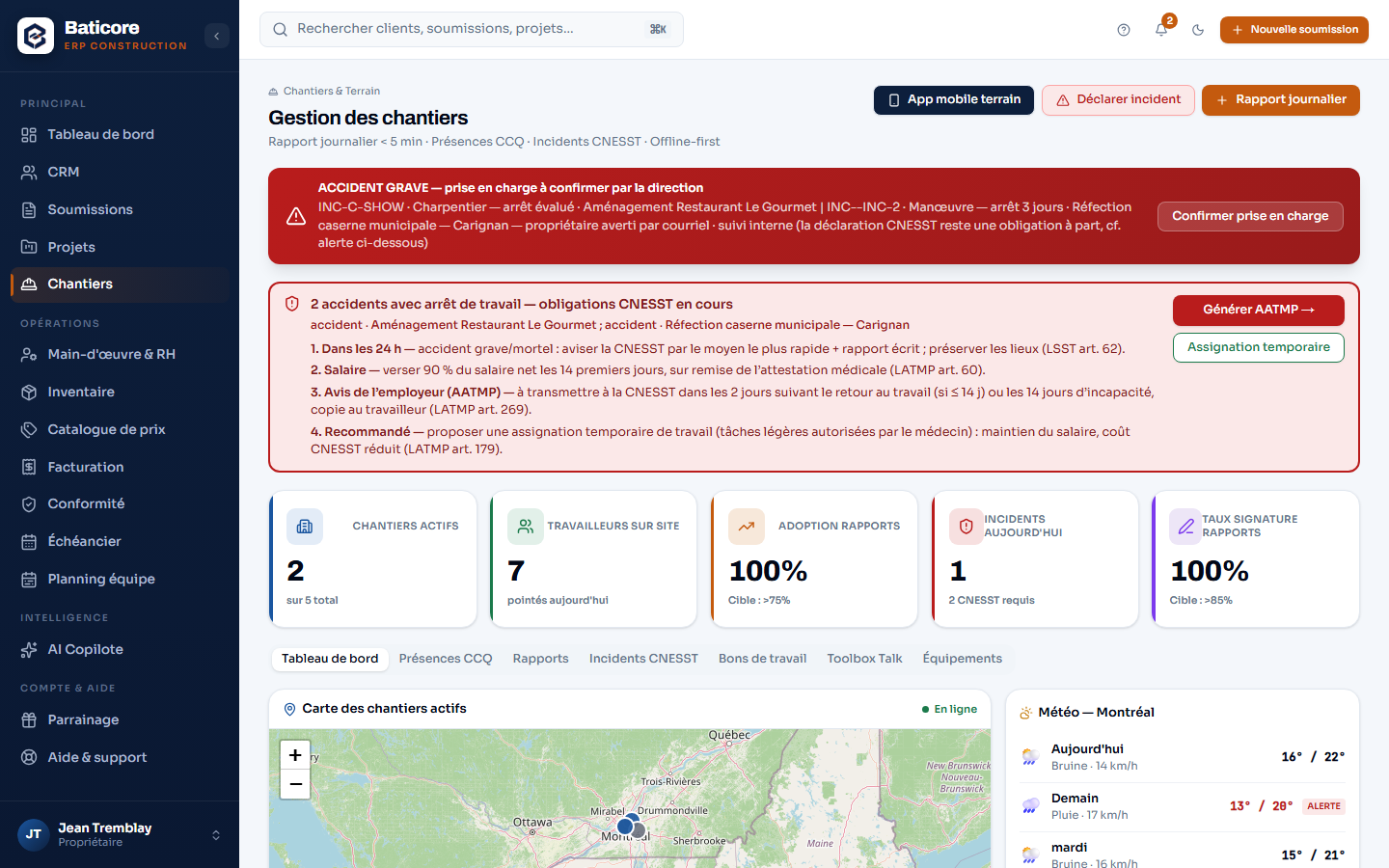
What the module does
- Geolocated clock-in tied to the job site: only the distance to the site is kept, never the position — the minimization Law 25 asks for.
- Daily reports from the phone, time-stamped photos charged to the right project, assisted writing for the version handed to the client.
- CNESST incident report from the job site and AATMP form preparation; the legal deadlines after an accident are recalled.
- Toolbox talk to tick before work starts; work orders with a due date, a phase and a crew.
- Offline: clock-ins, photos and reports wait for the network and sync when it returns. Installs on the phone without going through an app store.
- At the office: map of active job sites, three-day weather, real-time attendance, equipment present on each site, monthly CCQ report prepared from attendance.
What it doesn't do
No AI photo analysis: the app's "coming soon" card tells the truth, and we don't sell what doesn't exist.
The complete Field module — mobile app included — is a module of the Business plan.
Go further
Who it’s for
Frequently asked questions
Does the app really work without a connection?
Yes. Clock-ins, photos, daily reports and incident reports are saved on the phone and sent as soon as the network comes back. A concrete basement, a back road with no coverage or a job site in the regions won't block the day — and nothing is lost in the meantime.
Does BatiCore track my employees' location?
No. At clock-in, the app computes the distance between the phone and the reference job site, then keeps only that distance and an anomaly flag. Coordinates are never stored — the columns don't exist in the database. It's written in the field guide the worker can read.
Do I need to install an app from a store?
No. BatiCore Field is an installable web app (PWA): from the phone's browser, "Add to home screen", and it behaves like an app — no store account, no update to approve, on Android as on iPhone.
Content verified on September 9, 2026.
Try it on your next estimate
Fourteen days, no credit card. We bring in your clients, your employees and your licences with you — you see right away what's slipping.