
From the Business plan
Construction materials purchasing: from the signed estimate to the purchase order, at the best price
Your materials are already in the signed estimate. BatiCore breaks them down, puts your suppliers’ prices side by side and prepares one purchase order per supplier, linked to the project. The delivery received updates the stock and the price paid. Nothing goes out without your click.
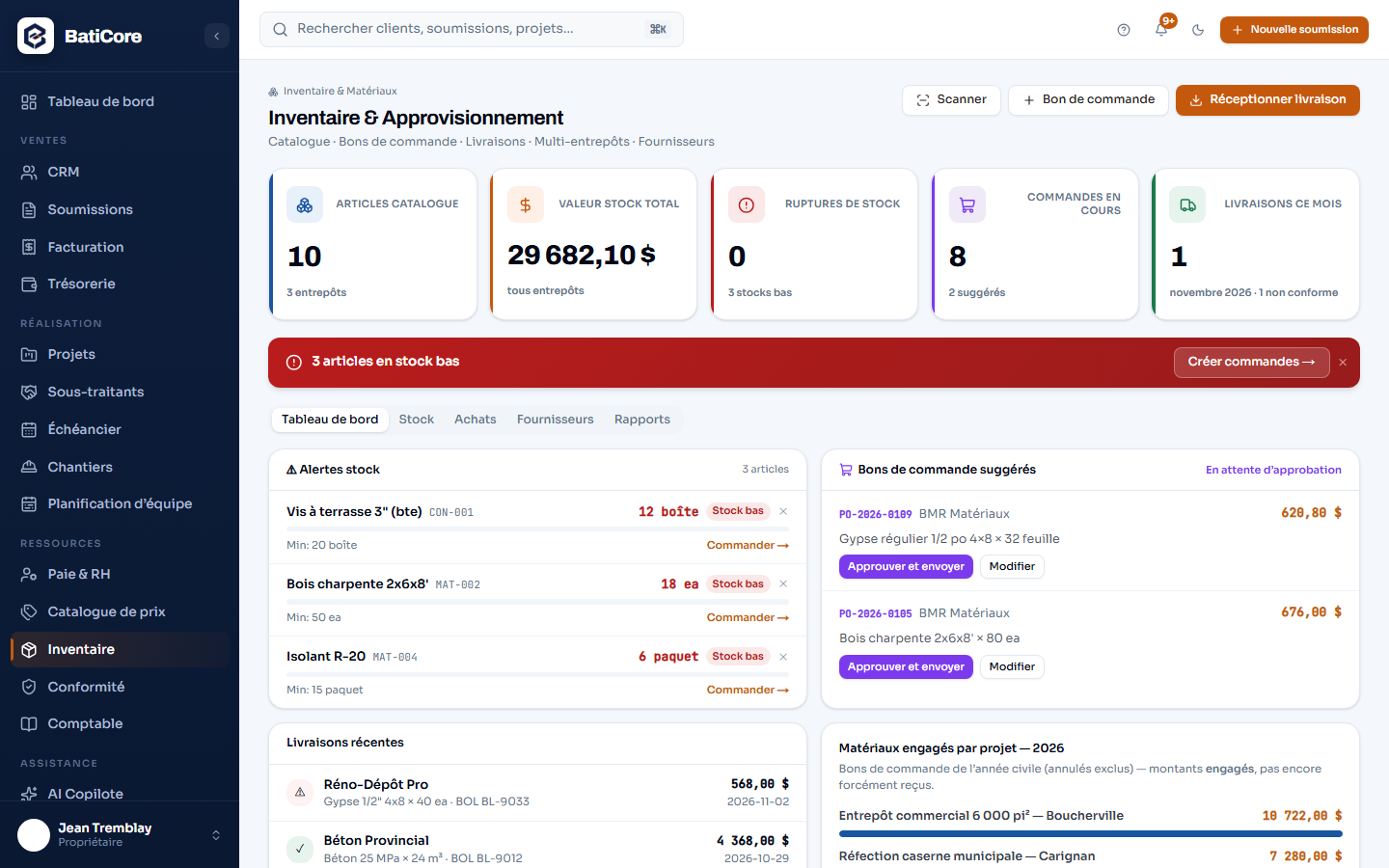
What the module does
- The materials to order, drawn from the project’s signed estimate: assemblies broken down, identical items added up, declined options excluded; for each line, what is already ordered and what remains.
- Several suppliers per item, each with a dated price and their item code: the “Best price” is suggested, a price older than 90 days is flagged. A supplier’s price list can be imported, with a preview first.
- One purchase order per supplier in one click, linked to the project and the phase. It goes out by email with your item codes at that supplier and your account number, can be followed up, and keeps the order number the supplier gives you.
- Price requests to suppliers: the same list sent to each, their answers entered line by line with their quote attached, then the comparison — the lowest, the total, the lines left unpriced. You award line by line; the purchase orders and the price book prices follow.
- From an estimate in progress: “Request prices”, then “Apply to the line costs”. The selling price is recalculated with your margins, and you choose the lines.
- Receiving, at the office or from the job-site phone, even offline: partial delivery, package scanning, a photo of the delivery slip. At the office, the price received can update that supplier’s price in the price book (the box is checked by default); a non-compliant delivery opens a dispute.
- The stock in your warehouses: transfers, reservations per project, alert thresholds, average cost kept up to date. An issue is never blocked by insufficient stock: negative stock is flagged, to be reconciled.
- Hazardous products carry their safety data sheet (WHMIS), which the crew keeps on their phone to read without a network.
- The job cost follows: a placed order counts in the project’s committed cost before the invoice. Stock movements and value export to CSV for your accountant.
Go further
Who it’s for
Frequently asked questions
Does BatiCore place the order with my supplier?
It emails the order to a supplier who takes orders that way, or you place it in their portal or at their counter. Either way, BatiCore keeps the record: the order number the supplier gives you goes on the purchase order, and receiving closes it.
Do my suppliers see each other’s prices?
No. Each receives the same list of materials, with their own item codes; the answers stay in your account. Your client doesn’t see your suppliers either: the estimate carries your lines and your prices.
What if the stock shown is wrong?
What happens on site comes before the office’s data entry: an issue or a transfer is never blocked by insufficient stock, and neither is sending an invoice. Stock can go negative; BatiCore flags it for reconciliation — often a delivery not yet received in the system.
Does my item cost change on its own?
No. A supplier’s price updates, dated today, when you receive their delivery at the office or award them a price request. The item’s cost, the one used by your future estimates, changes only when you act: “Use this price”, or the box offered when importing a price list.
Content verified on November 9, 2026.
Try it on your next estimate
Seven days, no credit card. We bring in your clients, your employees and your licences with you — you see right away what's slipping.