
From the Business plan
Construction crew scheduling: who is on which job site, week by week
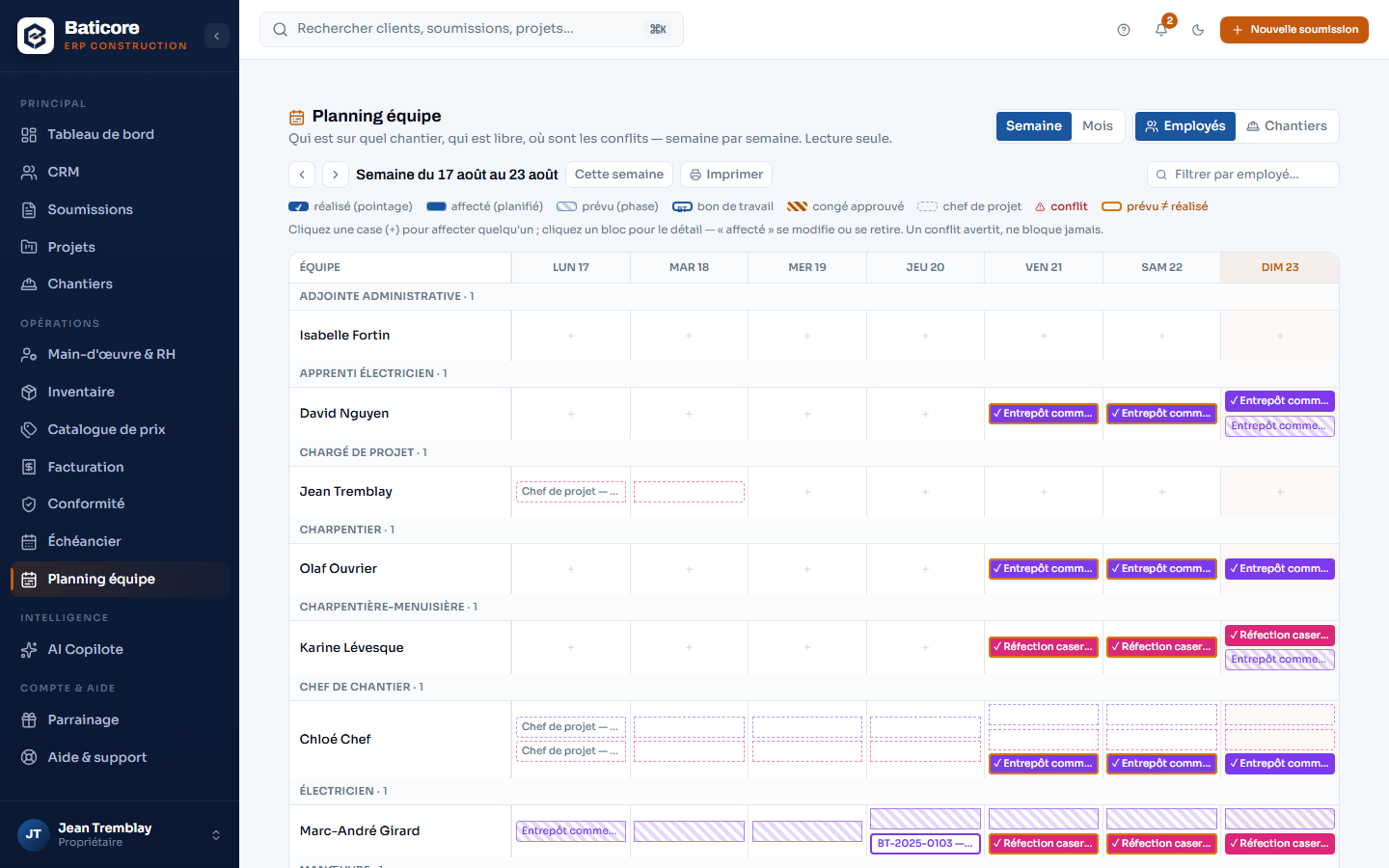
The week-by-week crew board, with time off, clock-ins and work orders on the same grid — and conflicts we flag without ever deciding for you.
Read-only from the Starter plan; assignments and moves from the Business plan.
What the module does
- One colour per job site; time off, absences, clock-ins and work orders on the same grid, week by week.
- Assignment conflicts flagged — never blocked: you keep the decision.
- Journeyperson / apprentice ratio (CCQ) adjustable, checked at assignment.
- Assigning in one click creates the work order and notifies the worker; available labour shows at a glance.
- Two lenses — by employee, by job site — and two horizons, with a filter.
What it doesn't do
The view is readable from the Starter plan; assigning and moving requires the Business plan — crew coordination is where its value lives.
Go further
Who it’s for
Frequently asked questions
What happens when two assignments overlap?
The conflict is flagged on the grid — highlighted, with the detail — but never blocked: a crew lead may have a good reason no rule knows about. The occupancy rule is the same everywhere in BatiCore, from scheduling to the work order.
Is the journeyperson / apprentice ratio checked?
Yes, at assignment, against a ratio you set for your trade: the grid warns you when a crew exceeds it. It's a warning, not a lock — as with conflicts.
Do my workers see the schedule?
Each worker sees their own assignments and gets a notification when assigned; they don't see other people's assignments or the rates. The site supervisor sees their crew; the office sees everything.
Content verified on September 9, 2026.
Try it on your next estimate
Fourteen days, no credit card. We bring in your clients, your employees and your licences with you — you see right away what's slipping.